
Forms
Editors build forms in the admin; submissions are checked on the server and stored.
What it does
A form is built from fields, with labels in every language, a confirmation message and the emails to send. Nothing a visitor types decides who receives an email: notifications go to fixed addresses chosen by the editor, and the visitor’s own address can only be used as reply-to or, when the editor switches it on, for an acknowledgement back to the visitor. Country and State fields are lists in the visitor’s language, stored as ISO codes; a form can ask a question against spam, checked on the server; and the submissions export to CSV. Each email can be sent only if a field has a value (“Only if topic is Starting a project”), so one form routes by reason to fixed addresses; and webhooks post each submission to another service (n8n, Salesforce Web-to-Lead), over HTTPS to public addresses only, after it is stored, with each call’s outcome recorded on the submission. A field can also be shown only if another one has a value (“Show only if topic is Starting a project”): it is required only while shown, and its value is dropped when hidden. Such a form needs JavaScript, so a browser without it gets only the form’s message instead, never a half-working form.
See it in the demo
The Contact page has a working form built this way (it comes from pnpm seed:contact), with a country list, Spain’s provinces and a question; its topic decides which extra email goes out (Forms → Contact form → Emails, “Only if”), and choosing “Starting a project” adds a required Company field (Forms → Contact form → the Company field, “Show only if”). With JavaScript turned off, the page shows the form’s “Message without JavaScript” instead. Send it and the submission appears in the admin under Form submissions, where “Export to CSV” downloads them. Emails only leave the server when an SMTP server is configured, and the Email log (admins only) lists every email the site tried to send and whether it worked.
For developers
Submissions are validated against their form on the server, and creating them through REST or GraphQL is closed. The plugin, the package @omitsis/apex-plugin-forms, wraps the official form builder (ADR 0035, TASK-293). Email setup is in the README, "Emails in local development".
Try the form
The Contact page shows a form with the features above.
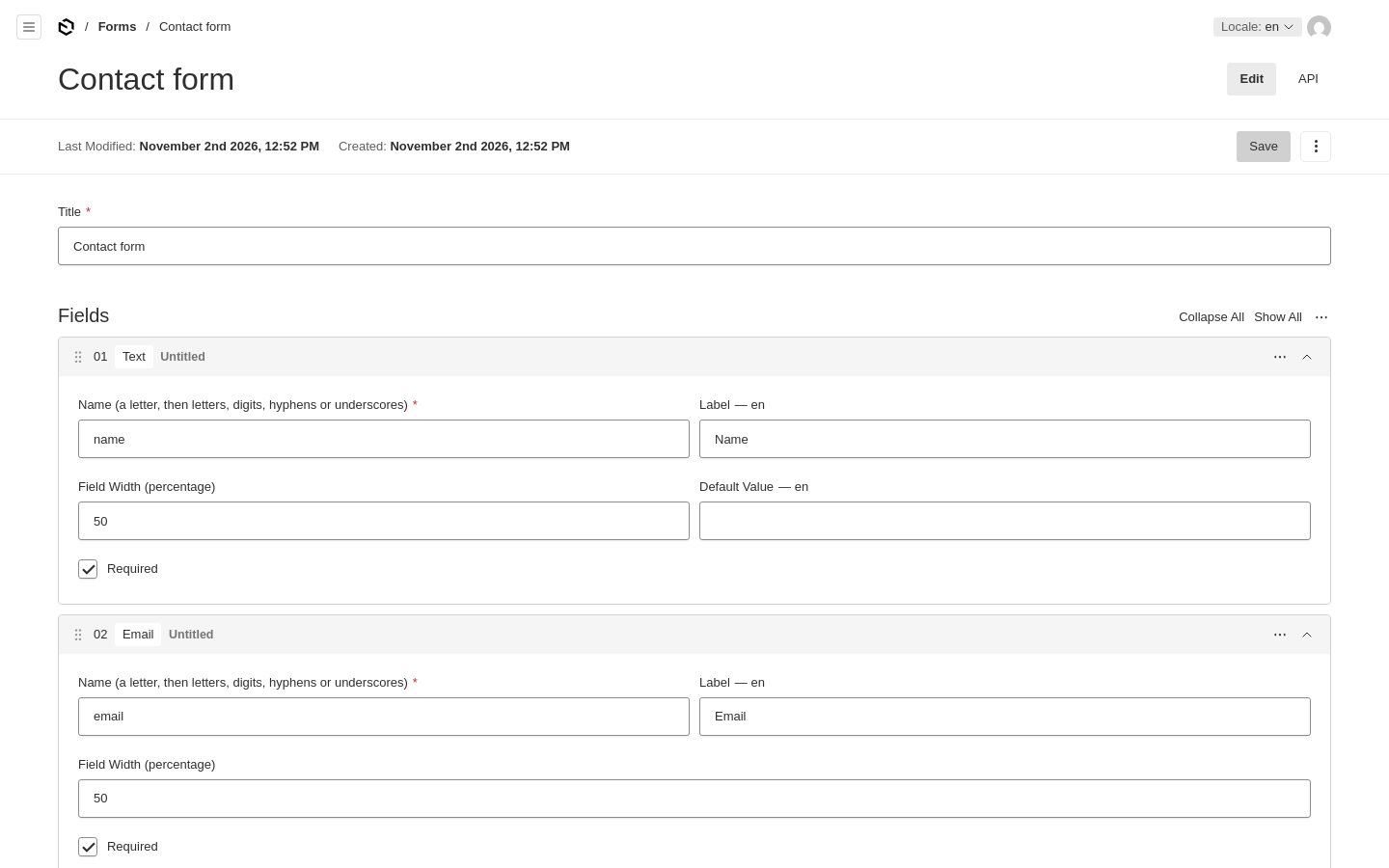
The form in the admin
Editors build the form from fields, with labels per language. The Contact page shows it with the Form block.
One block, every feature page
This strip is a reusable block: written once and placed at the end of every feature page. Edit it under Reusable blocks and all of them change.