
Theming
Themes, dark mode, visitor choices and block styles.
What it does
A theme is the site’s whole look: its colours in light and dark, its type and its spacing. The site has one theme, chosen in Settings → Appearance, and any single page can override it from its sidebar. On top of that, each block can have a style, such as an accent band or an inverted section, chosen by the editor.
See it in the demo
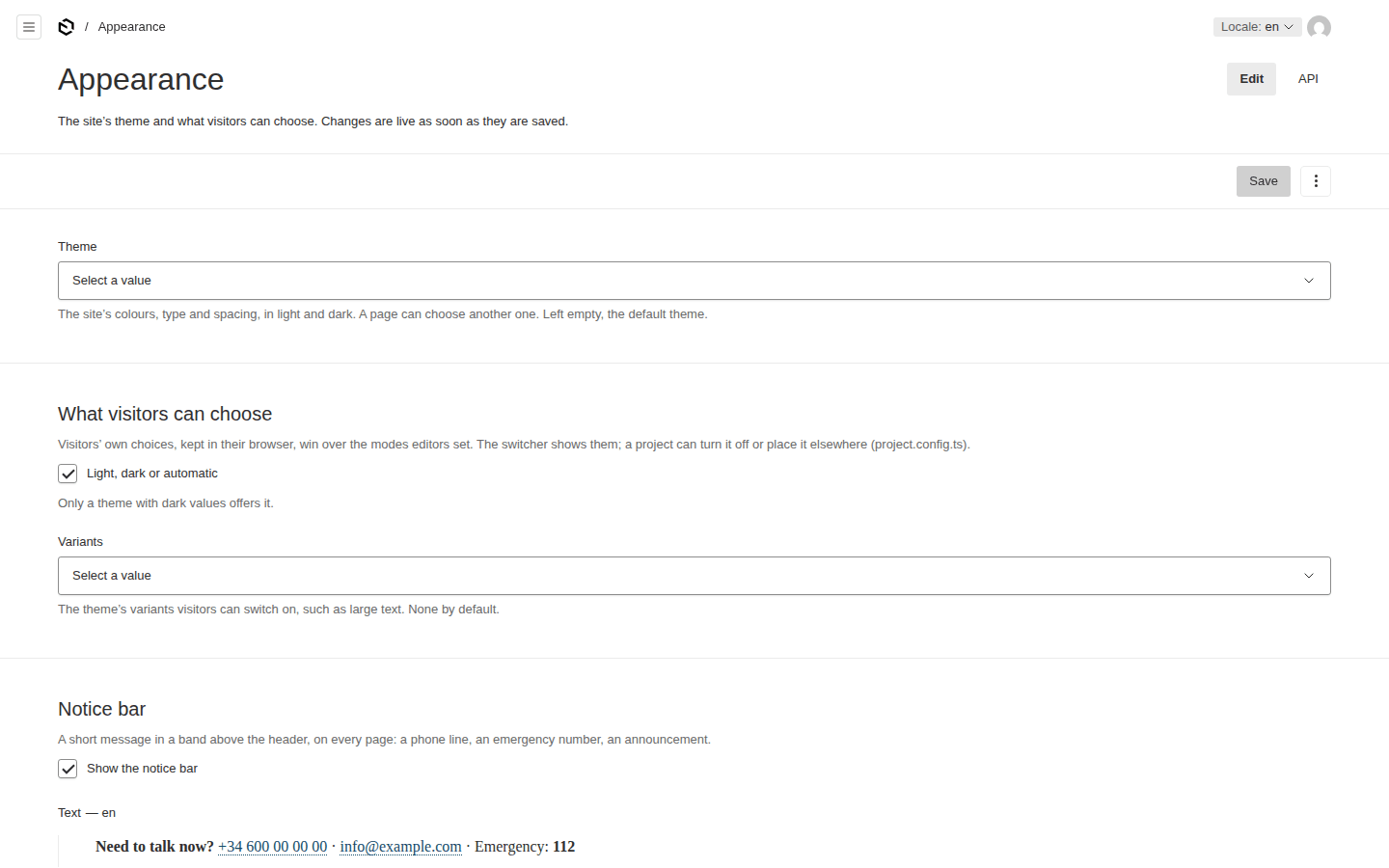
Dark mode follows the visitor’s system, and Settings → Appearance (What visitors can choose) can let visitors switch between Automatic, Light and Dark with a switcher in the header, and turn on theme variants such as larger text or compact spacing. Their choice stays in their own browser. This page sets its own theme: the seed gives it the first theme installed besides the default, when a theme package provides one. The Block styles page below shows every style.
For developers
Themes are plain data (src/themes), served as one stylesheet each. A project adds its own through a theme package without editing the template: pnpm make:theme <name> creates the package when there is none, wires it, and writes the theme with every value as a constant to edit, starting from the default theme (or --from another) so it passes the checks and contrast from the start; the apex-make-theme skill drives it and then fills the values from a design system. A package’s themes only join the lists: the site keeps the default theme until Settings → Appearance picks another, or defaultTheme in project.config.ts names one. Blocks read design tokens named --opa--<category>--<name>, listed in docs/token-catalogue.md. See the README sections "Themes, modes and block styles" and "Generators".
A highlighted card
This card uses the Highlighted style of the text block, so it takes the accent colours of whatever theme the page has.
Every style, side by side
Settings
Several pages under Settings. General holds the home page; Appearance, the site’s theme and what visitors may choose: light, dark or automatic, and the theme’s variants.
One block, every feature page
This strip is a reusable block: written once and placed at the end of every feature page. Edit it under Reusable blocks and all of them change.