
What changed
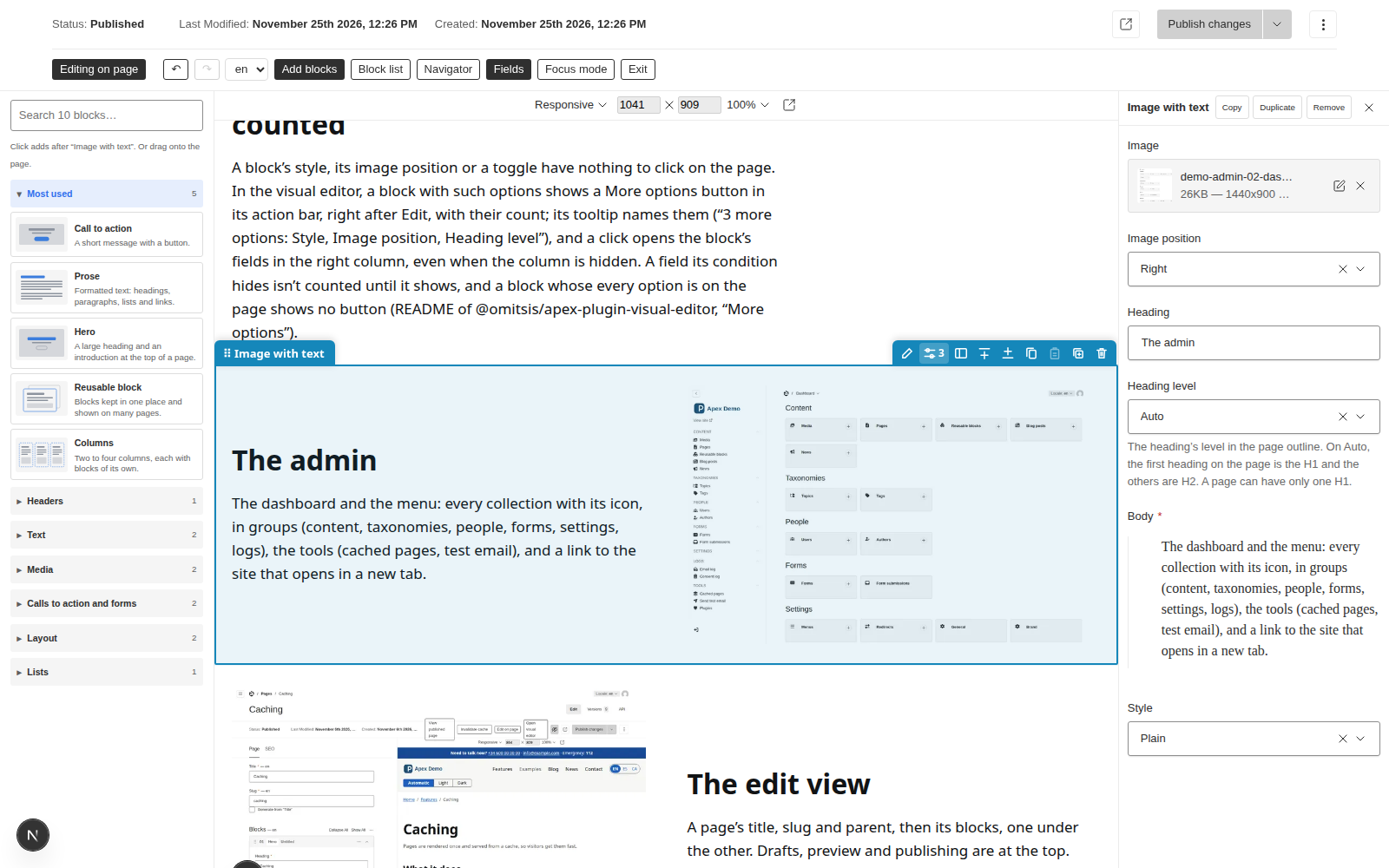
On the page, the visual editor edits what a block shows: its texts, its images. Other options have nothing to click: an image’s position, a heading’s level, a style, a toggle. An editor working on the page had to guess that the fields column held more. Now a block with such options shows a More options button in its action bar, right after Edit, with their count. Its tooltip names them, “3 more options: Image position, Heading level, Style”, and a click opens the block’s fields in the right column, even when the column is hidden. Only fields an editor can change count: hidden and read-only fields don’t, nor those the user’s role can’t update, and a field its condition hides counts once the data shows it. Each block counts its own: a Columns block its settings, each block in its columns its own. A block whose every option is on the page shows no button. Visitors see nothing new.
Where to see it
Open any page with an Image with text block (Features → Editing, at the bottom) in the visual editor and hover the block: its action bar shows the button. Developers: the @omitsis/apex-plugin-visual-editor README, “More options”; a project that lists its actions in inlineEditor({ actionBar }) adds “more-options” to show it.