
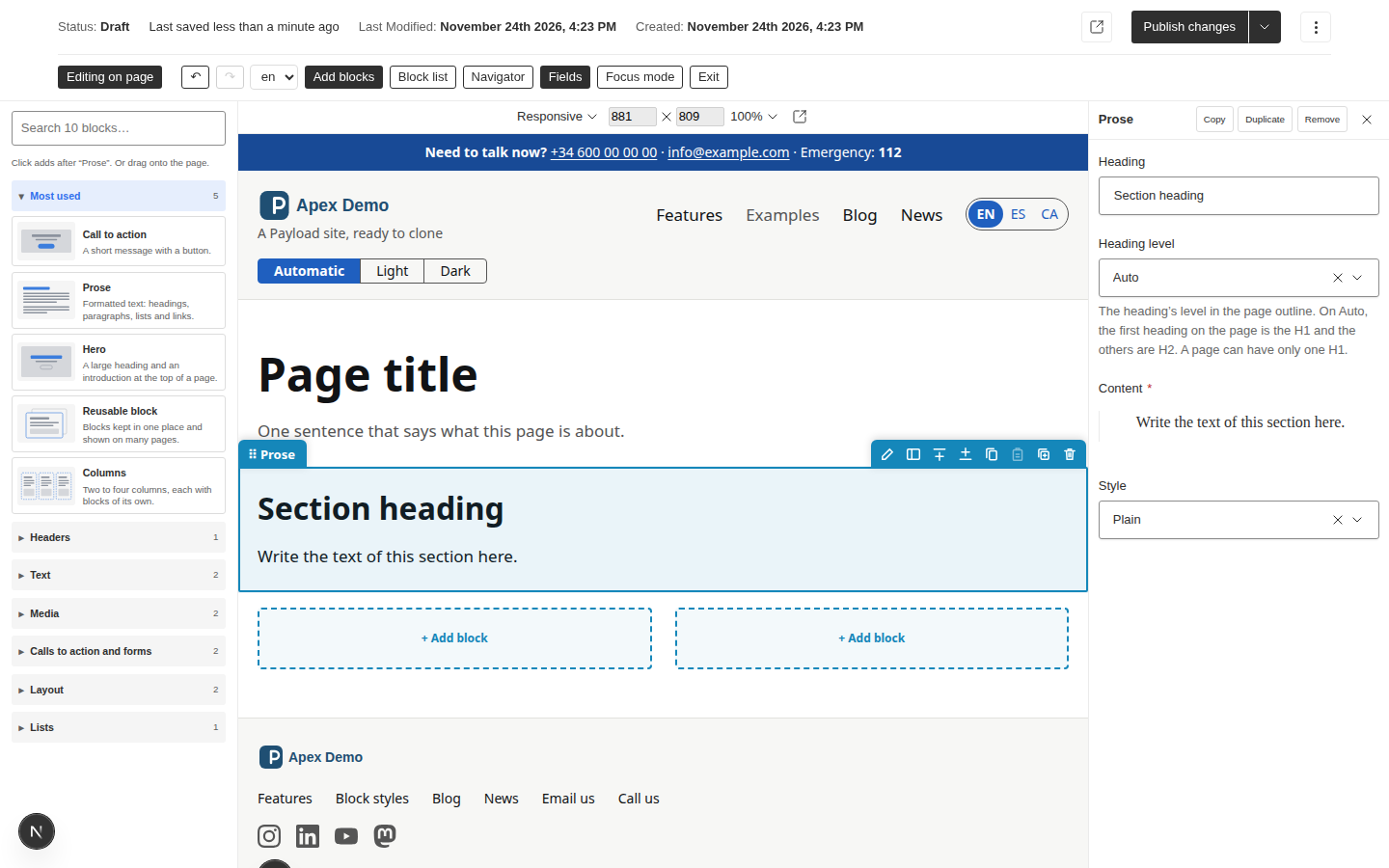
Edit the page you see
Open a page and choose Edit on page. The page shows as visitors will see it, and you edit it there. Click a block to select it: its fields open in the column on the right, and its texts, a heading or a paragraph, can be typed straight on the page. Every change shows at once, before anything is saved, and the page is saved as a draft: nothing goes live until someone with the right role publishes it. Staff browsing the site can jump in too, with Edit this page.
A bar for every block
Hover or select a block: a tab on its left to drag it, and a bar of actions on its right. Edit shows its fields, even with the fields column closed; Show in layout finds it in the page’s structure; Add above and Add below choose where the next block goes; Copy, Paste, Duplicate and Remove do what they say. The keyboard does the same: Delete removes, Ctrl+D duplicates, Ctrl+C and Ctrl+V copy and paste, Ctrl+Z undoes and Ctrl+Shift+Z redoes.
The block panel
On the left, every block the page can take, with a picture and a line about each, in groups, with the most used ones on top and a search box. Click one to add it after the selected block, or drag it to any place on the page, inside a column too. A place that doesn’t take that block refuses it, so a page can’t be put together wrong.
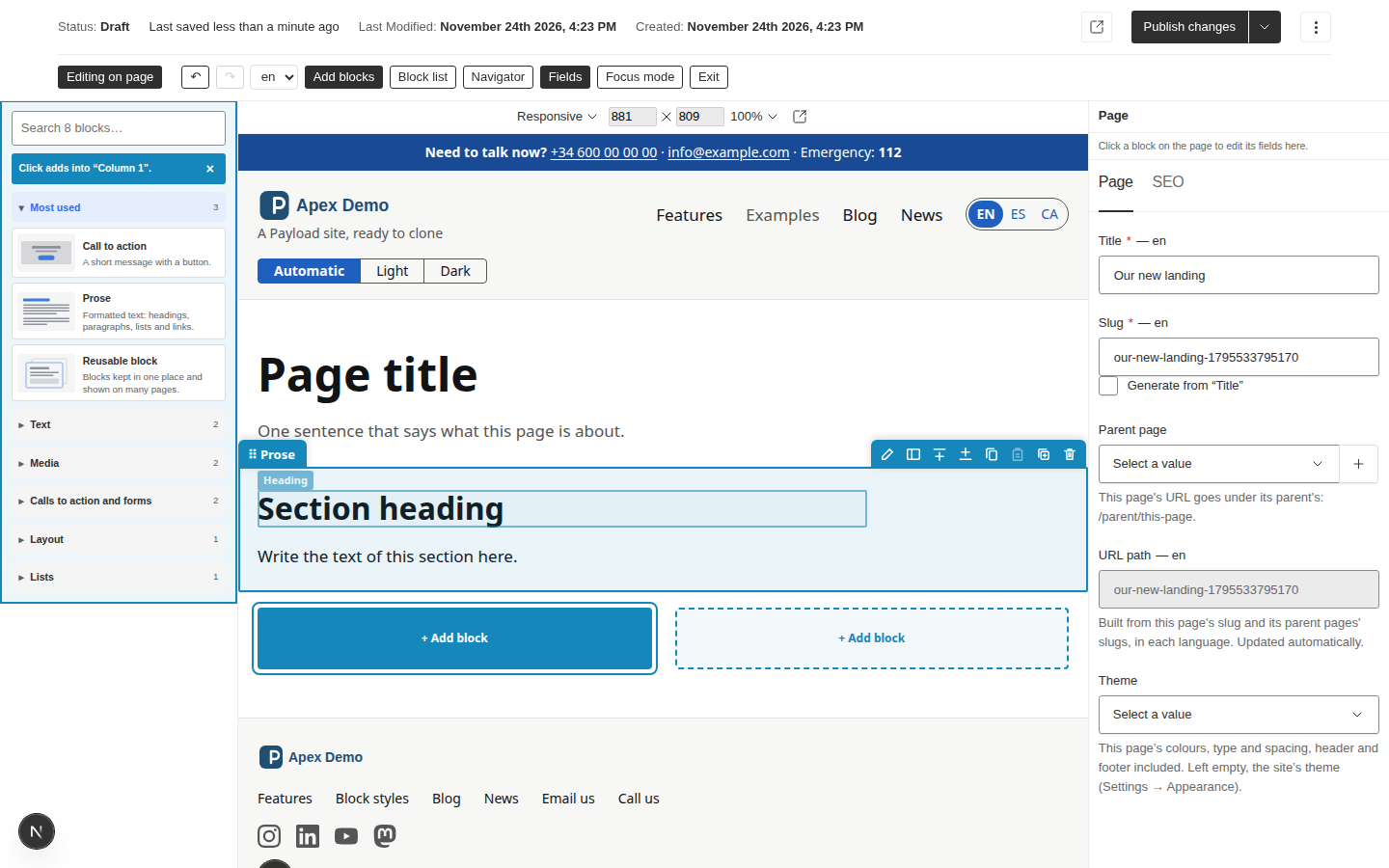
Columns, without guessing
A new Columns block brings its columns ready, each with its own Add block. Click one and the block panel stands out, says where the block will go, and offers only what a column takes; the column is marked on the page. Changed your mind? The × on the panel’s banner drops the place.
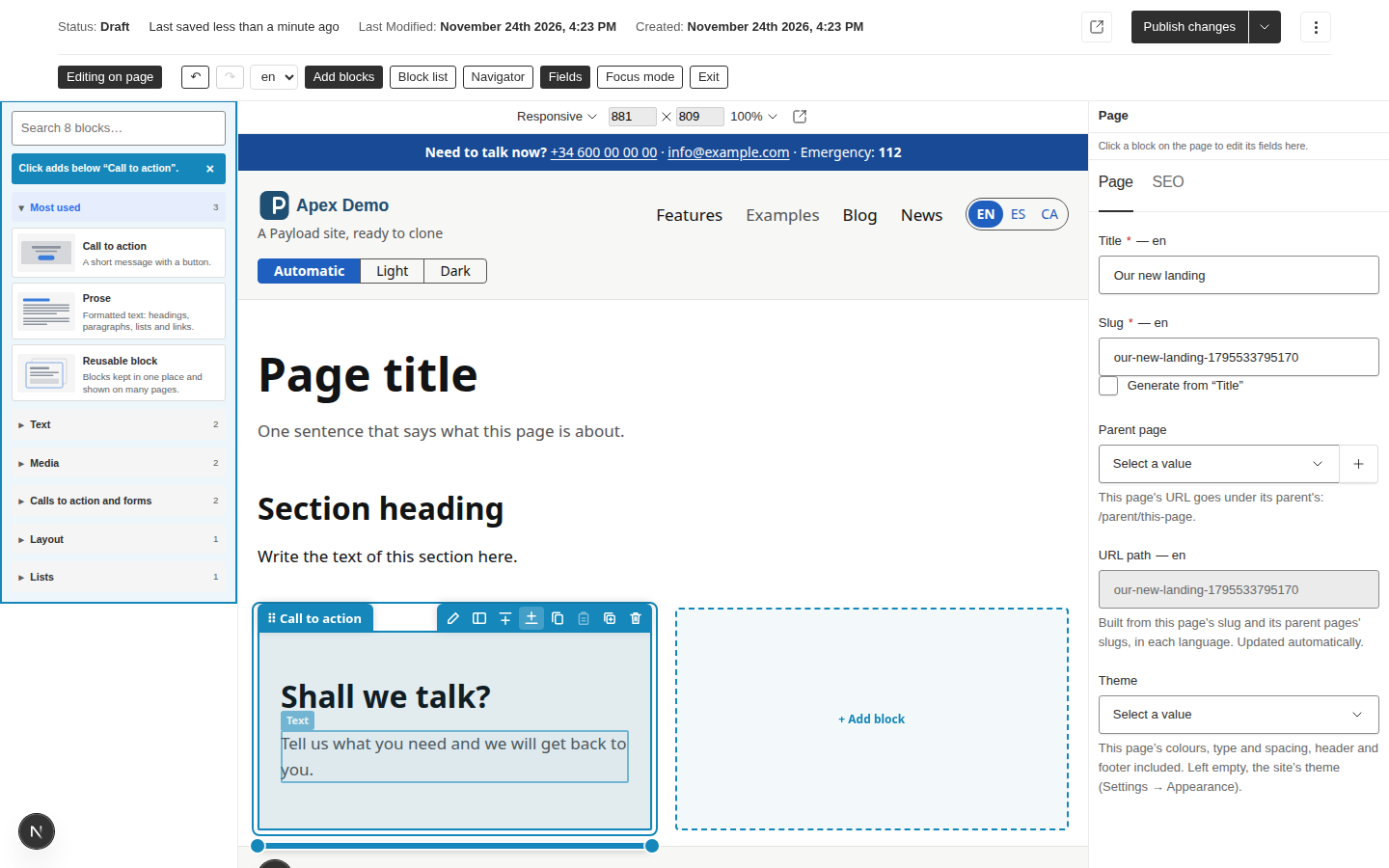
Always know where it lands
Add above and Add below mark the spot with a thick line between the blocks, and dragging a block shows a line where it will drop. Blocks move between the page and its columns as easily as within one list.
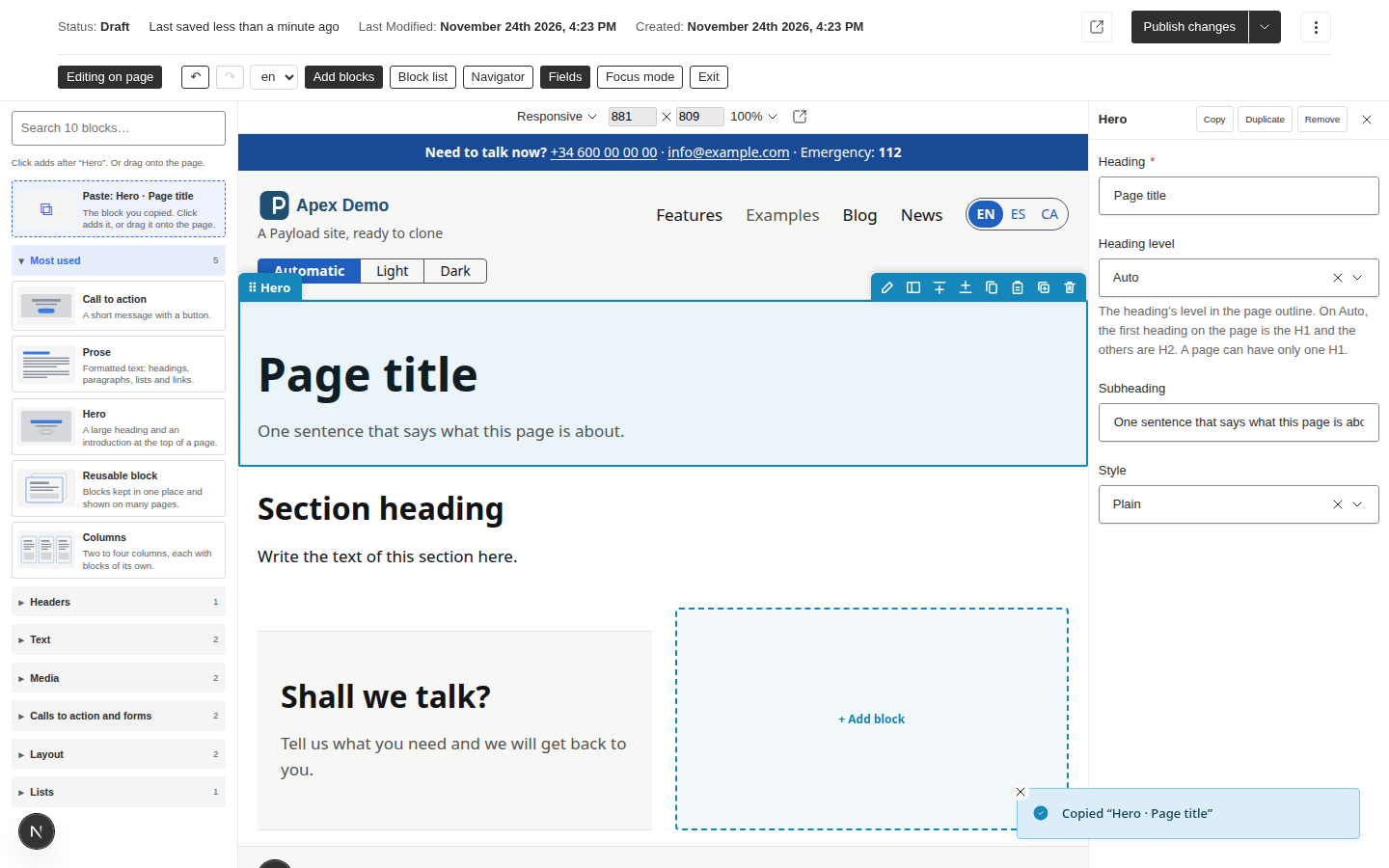
Copy here, paste there
Copy a block, a whole Columns block with everything inside it included, open another page, and paste it: with the Paste card on top of the panel, by dragging that card, or with Ctrl+V. It uses the same clipboard as the form’s own Copy row and Paste row, so blocks travel between the editor and the classic form both ways. Ctrl+Z takes a paste back like any other change.
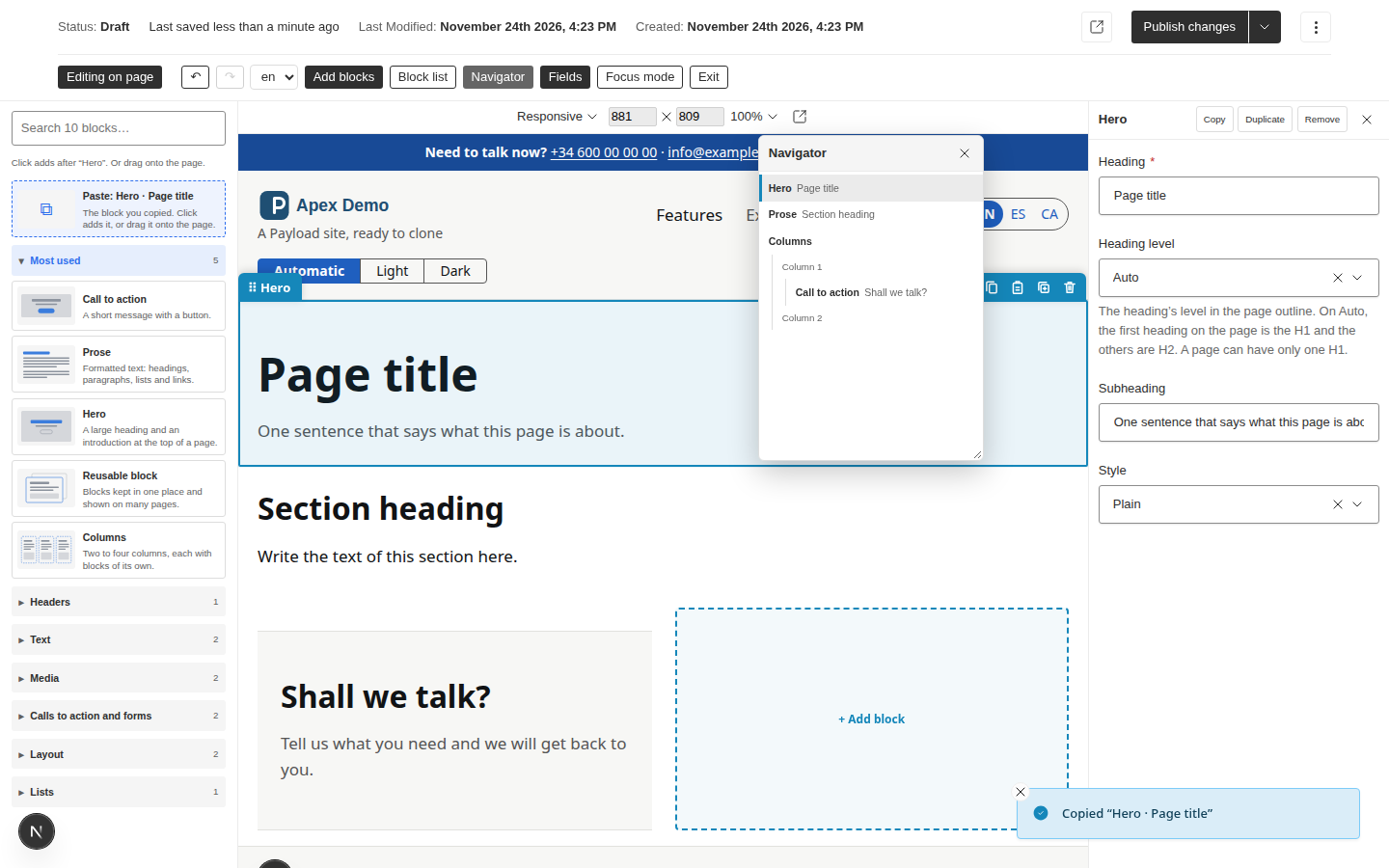
The whole page at a glance
The navigator shows the page’s blocks as a tree, with columns and the blocks inside them, so a long page is easy to find your way around.
And more
The toolbar switches the language you edit, and shows the page at a phone, tablet, laptop, large screen, Full HD or 4K width, or any size you type. Focus mode dims the header and footer so the page’s own content stands out. Each column of the editor can be shown, hidden or resized, and the editor remembers it.
For developers
The editor is the package @omitsis/apex-plugin-visual-editor, turned on with inlineEditor() in project/project.config.ts. A project can hide the action bar or keep only some actions, inlineEditor({ actionBar: ['edit', 'copy', 'paste'] }), put it beside the move tab with actionBarPosition: 'left', and change the size presets with livePreview({ sizes }). Template-site README, “The editor’s action bar”.