
What changed
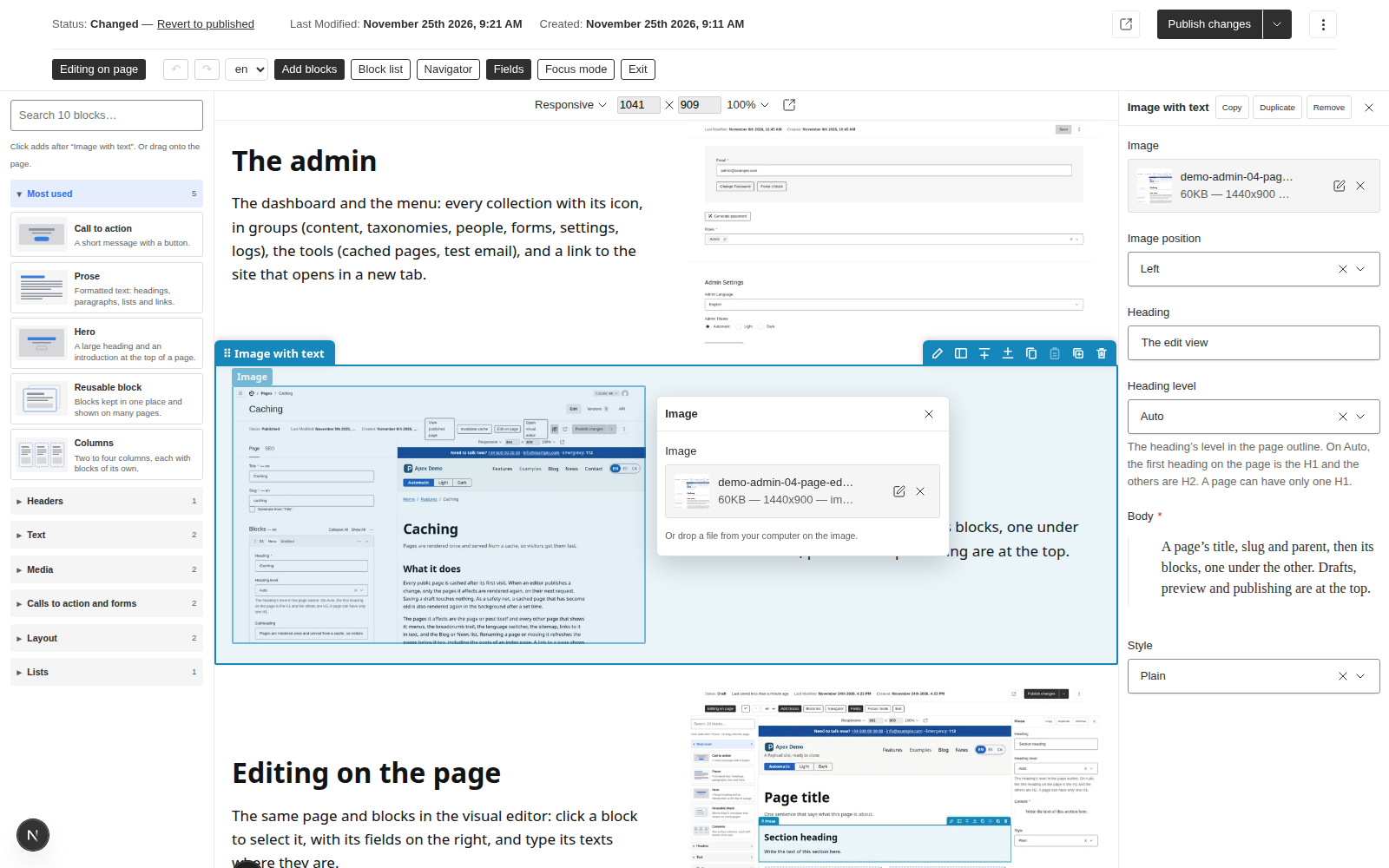
A block’s image (an Image with text, a video’s poster) could only be changed in the fields column. Now a click on it selects its block and shows the image’s actions next to it: choose another from the Media library, upload a new one, edit it or remove it. The page shows the new image at once, as the site renders it. Edit image opens the Media item itself: its alt text, caption and credit belong to it, so they change on every page that uses the image, and this page shows them at once. Drop a file from your computer on the image and the upload drawer opens with it, for its alt text; saved, it becomes the image, and a file Media doesn’t take shows Media’s own error. An Image with text block without an image shows an “Add image” box where the image goes, in the editor only: visitors see nothing new.
Where to see it
Open any page with an Image with text block (Features → Editing, at the bottom) in the visual editor and click its image. Developers: the @omitsis/apex-plugin-visual-editor README, “Images”; block packages mark their images with fieldAttrs, as apex-block-base 0.23.0 does (its README, “Field marks”).